Are you chasing green scores in Core Web Vitals? Is your Lighthouse score still far from 100? Here is your shortcut.
Page speed optimization sounds simple, but it is often an opaque labyrinth: Countless recommendations, conflicting test results, limited developer resources. We help you systematically optimize what truly delivers impact.
We ensure that slow loading times become a thing of the past and that your website can unlock its full conversion and revenue potential.
Page speed as a revenue lever: Why load time is critical for your business
Fast websites perform better – measurably better. Just an additional second of loading time can reduce conversion rates by up to 20%, as shown by a Google study.
Users are impatient – and so is Google. Page speed and Core Web Vitals are official ranking factors. What that means in practice:
Worse evaluation in competitive comparison – slow pages directly lose against faster competitors.
Restricted crawling – if loading takes too long or consumes too many resources, Google may only index a fraction of your pages.
Higher bounce rates – when searching, filtering, or loading product lists takes too long.
Abandoned purchases at checkout – the most critical point: an unperformant checkout costs revenue immediately.
Page Speed Audit – a comprehensive deep dive
Unlike a broader technical SEO Audit, here we focus exclusively on the performance of your website. Our Page Speed Audit delivers an in-depth status-quo analysis – from the perspective of both search engines and users – based on a multi-stage process combining technical depth with practical recommendations.
1
Tool-based analysis
We analyze your website using professional tools and identify weaknesses negatively affecting load times and user experience. We capture both Core Web Vitals and other relevant performance metrics.
Manual expert review
Not everything can be captured automatically. That is why our experts also inspect your website manually – with a trained eye for details within your technical architecture that make the difference. For example:
Media usage and optimization (e.g. image formats, sizes, compression, smart cropping)
Third-party scripts and integrations (e.g. Tag Manager, social media plugins, A/B testing tools)
2
3
Individual metrics & context analysis
Every website is unique. That is why on request we also offer custom load time measurements – either for predefined performance indicators or along critical user journeys, e.g.:
Loading behavior of complex filter functions or search results
Performance of the checkout process
Together with you, we define relevant page types and test conditions before starting the audit – ensuring that your target audience's needs and business goals flow directly into the analysis.
What does a Lighthouse score of 100 actually mean?
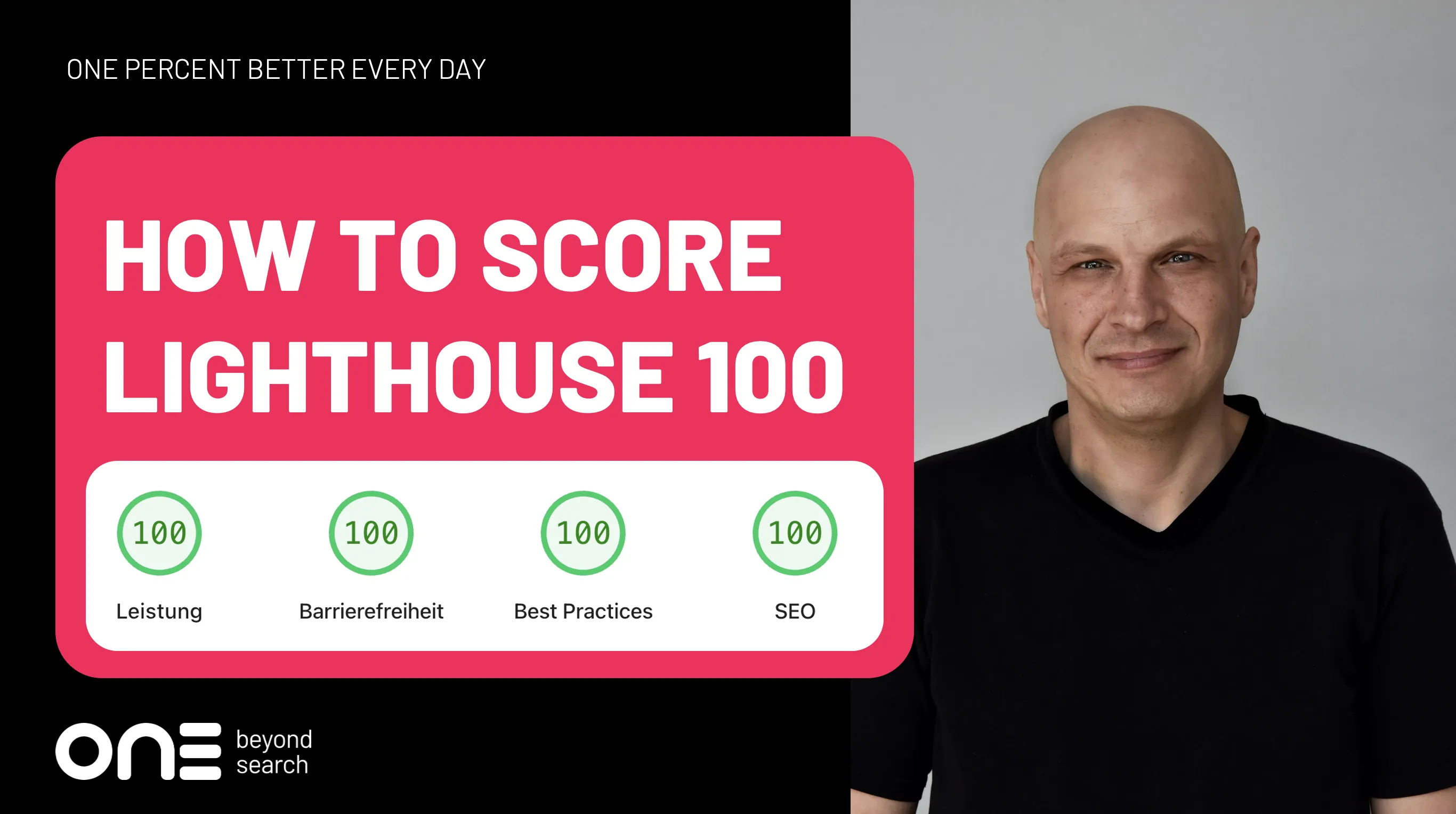
A score of 100 in Google Lighthouse shows that your website achieves the highest possible rating under given test conditions in Performance, SEO, Accessibility, and Best Practices.
Important: These values are based on simulated measurements ("lab data"). Real user experiences may differ. A perfect score is a strong signal, but not a guarantee for an excellent real-world user experience.
The most important metrics for measuring page speed
Metric
Explanation
Benchmark
Time to First Byte (TTFB)
Time until the server responds with the first byte, meaning the first time it “reacts” after a page is requested
≤ 0.3 seconds
Start Render
Time until the first visible content is rendered by the browser
≤ 1.5 seconds
Largest Contentful Paint (LCP)
Time until the largest visible element in the initial viewport is loaded (e.g., image or text block)
≤ 2.5 seconds
First Input Delay (FID)
Response time of the page to the first user interaction (deprecated core web vital)
≤ 100 milliseconds
Interaction to Next Paint (INP)
Successor to FID: measures consistent response times during interactions
≤ 200 milliseconds
Cumulative Layout Shift (CLS)
Measures visual “shifting” or “jumping” of elements while the page loads
≤ 0.1
Total Blocking Time (TBT)
Total time during which the page is blocked and cannot respond to user input
≤ 300 milliseconds
Note: Benchmark values serve as a guide and must always be evaluated in the context of your website. A simple landing page naturally achieves better values than a complex online shop with dynamic filters or JavaScript-driven elements.
Why should you test different templates?
Landing pages, product pages, or blog posts use different templates – and vary greatly in content type and volume (text, images, interactive elements, JavaScript). Only testing all relevant page types uncovers all optimization opportunities.
Why should you measure under different conditions?
Load times depend on internet connection and device. For a realistic picture, various conditions must be considered:
Mobile vs. Desktop: Mobile users often have poorer network connections – smartphones and tablets belong in every test.
Different Browsers: Chrome, Safari, and Firefox interpret pages differently, affecting load times.
Geographic Differences: Without a global CDN, server physical location dictates load times – testing from different regions is mandatory.
First-time vs. Returning Visitors: First View is significantly slower without proper cache directives. "Repeat View" should therefore always be included in evaluation.
What is the difference between Page Speed and Core Web Vitals?
Page speed measures loading speed; Core Web Vitals measure perceived user experience. A faster website does not automatically mean a better user experience – and vice versa.
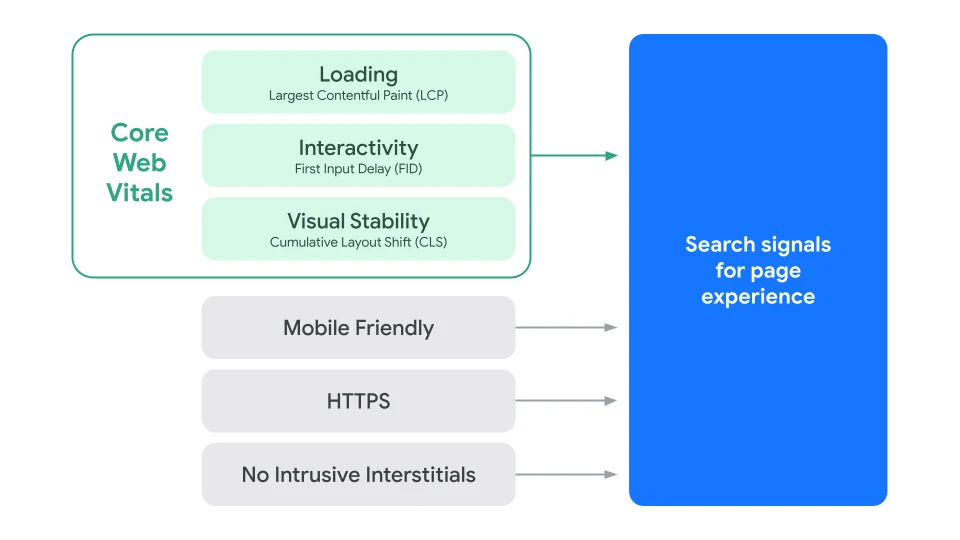
Core Web Vitals – LCP (Largest Contentful Paint), INP (Interaction to Next Paint), and CLS (Cumulative Layout Shift) – align more closely with real user perception and are hard to artificially "game". But you shouldn't rely solely on them: Time To First Byte (TTFB) and Start Render also yield critical insights and influence Core Web Vitals themselves.
Google Search Signals for Page Experience (Source: developers.google.com)
Slow websites are not just conversion killers. Especially when direct competitors are faster than your own site, poor performance impacts organic rankings.
Matthias Hotz, SEO Expert
Need expert tips for operative implementation?
You know the causes of poor page speed values, but not the most efficient implementation route? We offer strategic sparring and technical mentoring:
Ticket Prioritization: Recognize key performance issues and work through them in the right order.
Efficient Developer Communication: Formulate technical measures so their relevance is clearly communicated to dev teams.
Custom Optimization Tips: From quick wins to complex measures – battle-tested and directly actionable.
Looking for direct hands-on tips?
Matts demonstrates in 5 short videos how to get started right away with page speed.
A brief and concise description of your request will help us to process it quickly and efficiently. We will contact you within 48 hours to arrange an appointment for an initial consultation.
We get to know each other during the initial consultation. We clarify your current situation and the goals you want to achieve. We then agree on the appropriate service packages and framework conditions in order to create a tailor-made offer.
We begin our collaboration once the offer has been signed. To get started, we organize a kick-off meeting with all relevant stakeholders to clarify any open questions, refine objectives, and begin implementation immediately.
We will keep you regularly informed about progress, provide reports, and discuss the results. Regular feedback and review sessions are planned for ongoing projects in order to continuously improve our collaboration.
Get in touch with us
We look forward to your inquiry! We are happy to advise you without obligation on the right Page Speed service. Or send us an email directly to: hello@onebeyondsearch.com
Vielen Dank.
Wir haben Ihre Anfrage erhalten und melden uns umgehend bei Ihnen.
Frequently asked questions
A green status in Core Web Vitals (LCP, FID, CLS) is a strong signal for a technically clean website and good user experience. Google considers Core Web Vitals as a ranking factor – pages with better scores can indeed be preferred in rankings.
Important to note: Core Web Vitals are only one part of the overall spectrum of ranking factors and signals. Even perfect scores do not guarantee top rankings if other SEO areas are neglected. Winning top Google spots requires optimizing the total package – content, tech, structure, and more.
Duration depends on website complexity and identified issues. A basic Page Speed Audit and executing key optimizations can occur within a few days to 2 weeks. More complex sites may need more time and continuous optimization.
Important: If page speed is not consistently integrated into development workflows, long-term scores won't hold. New features, extra components, or A/B testing tools can quickly fizzle out hard-earned gains.
Partially. Minor optimization steps, such as reducing image sizes or enabling caching, can sometimes be done within CMS settings. For deeper technical adjustments and sustainable improvements to page load times and Core Web Vitals, support from experienced developers is generally required.